CT600 software for UK limited companies and accountants
Prepare your Corporation Tax computation, fill in the CT600 from it and submit it to HMRC online, using the same figures as your company accounts.
Free to get started, including filing. No card required.
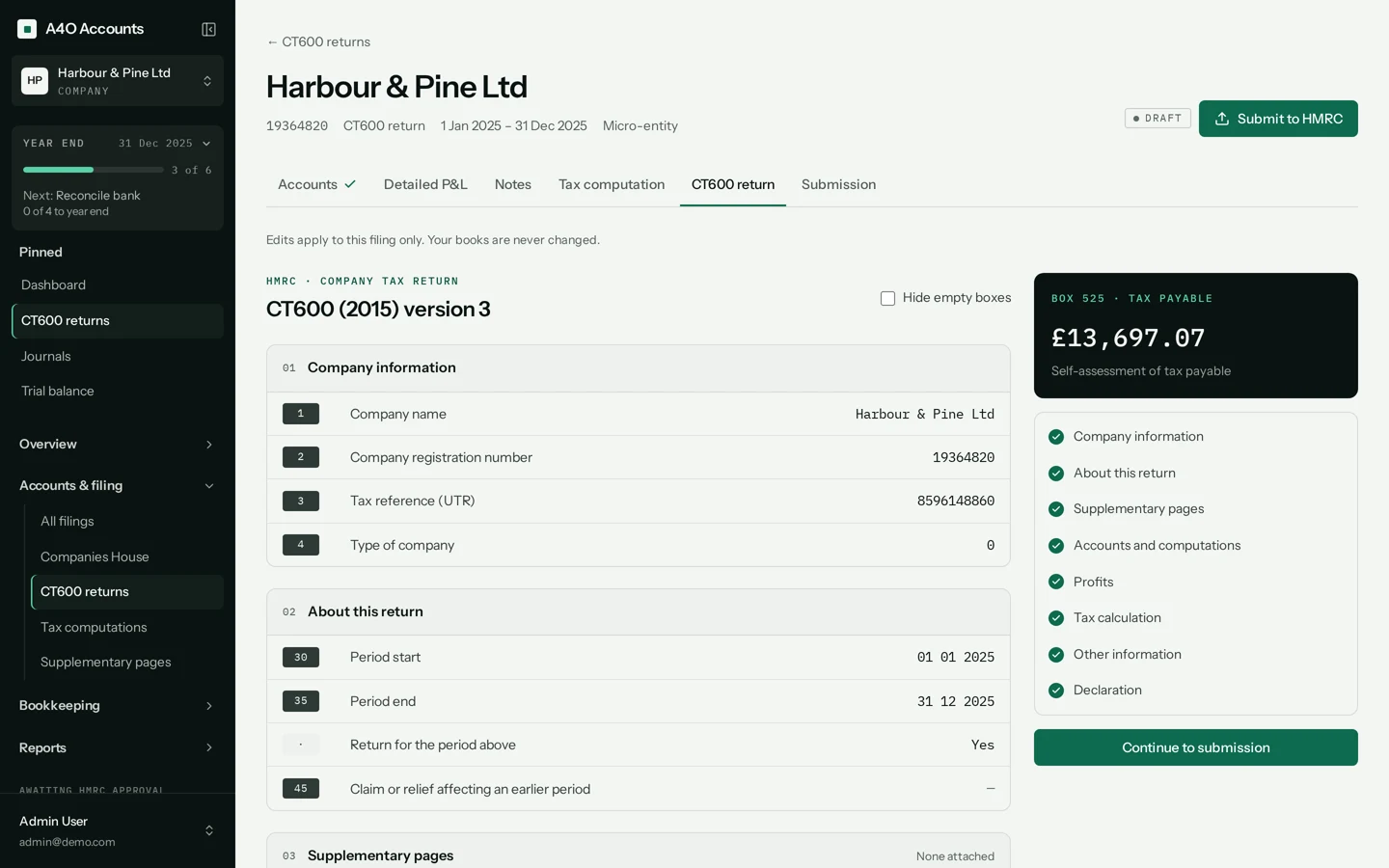
From your books to a filed return
A CT600 isn’t filled in on its own. It’s the last step of the year end, and each step feeds the next.
The accounts come from your books
Create the return for the accounting period and choose how its accounts are prepared: micro-entity, small company or full. They’re built from your posted bookkeeping.
Edits you make on a return apply to that return only. Your books aren’t changed.
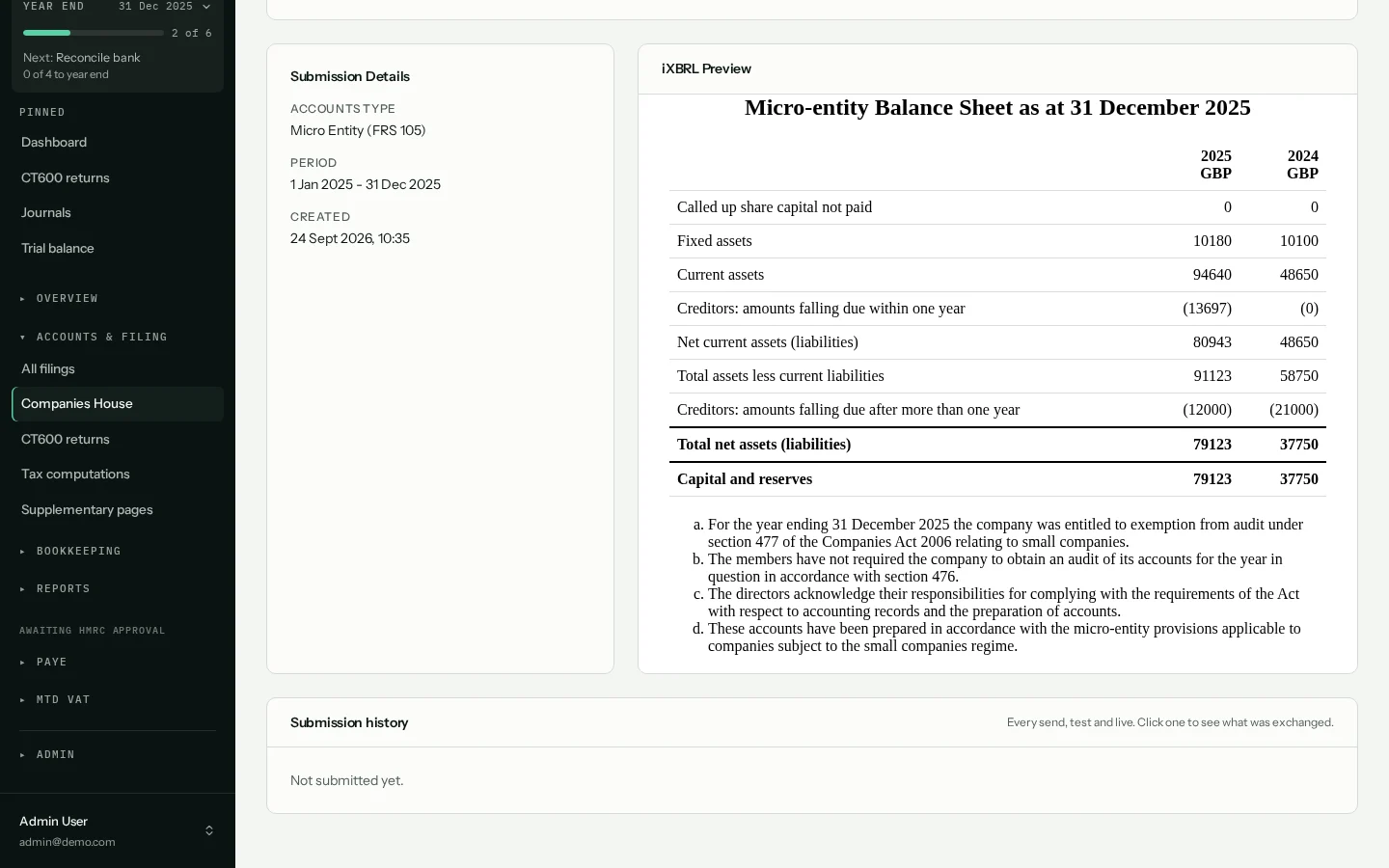
The computation starts from the accounts profit
Disallowable expenses are added back, capital allowances and losses are worked through, and the Corporation Tax due is calculated.
- Capital allowance pools, AIA and full expensing
- Associated companies and marginal relief
- CT600A and CT600L pages, added here when they apply
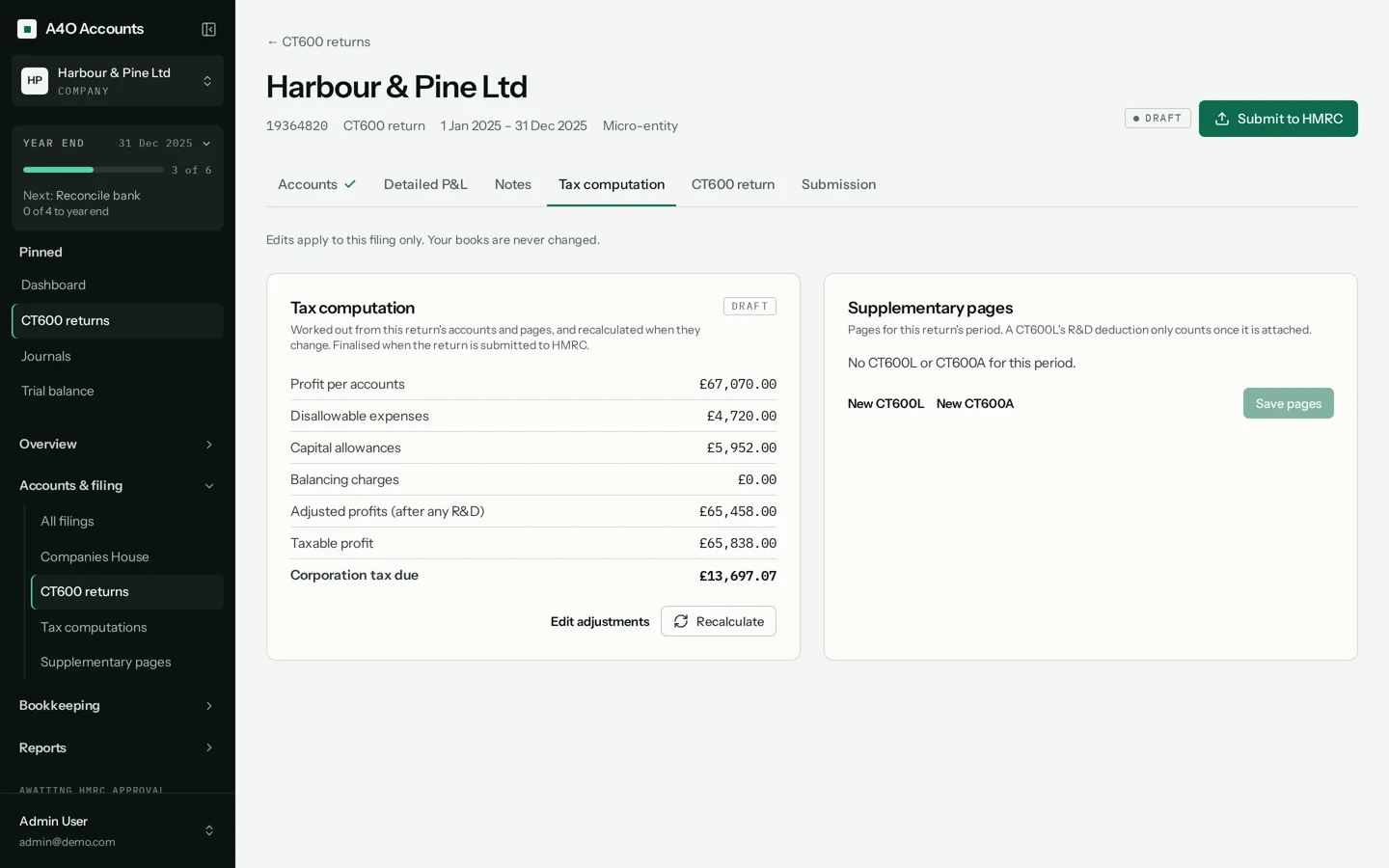
The CT600 is filled in from the computation
Every box is shown, filled in from the accounts and computation. Check each section, then continue to the submission, where you can preview the iXBRL accounts and computation.
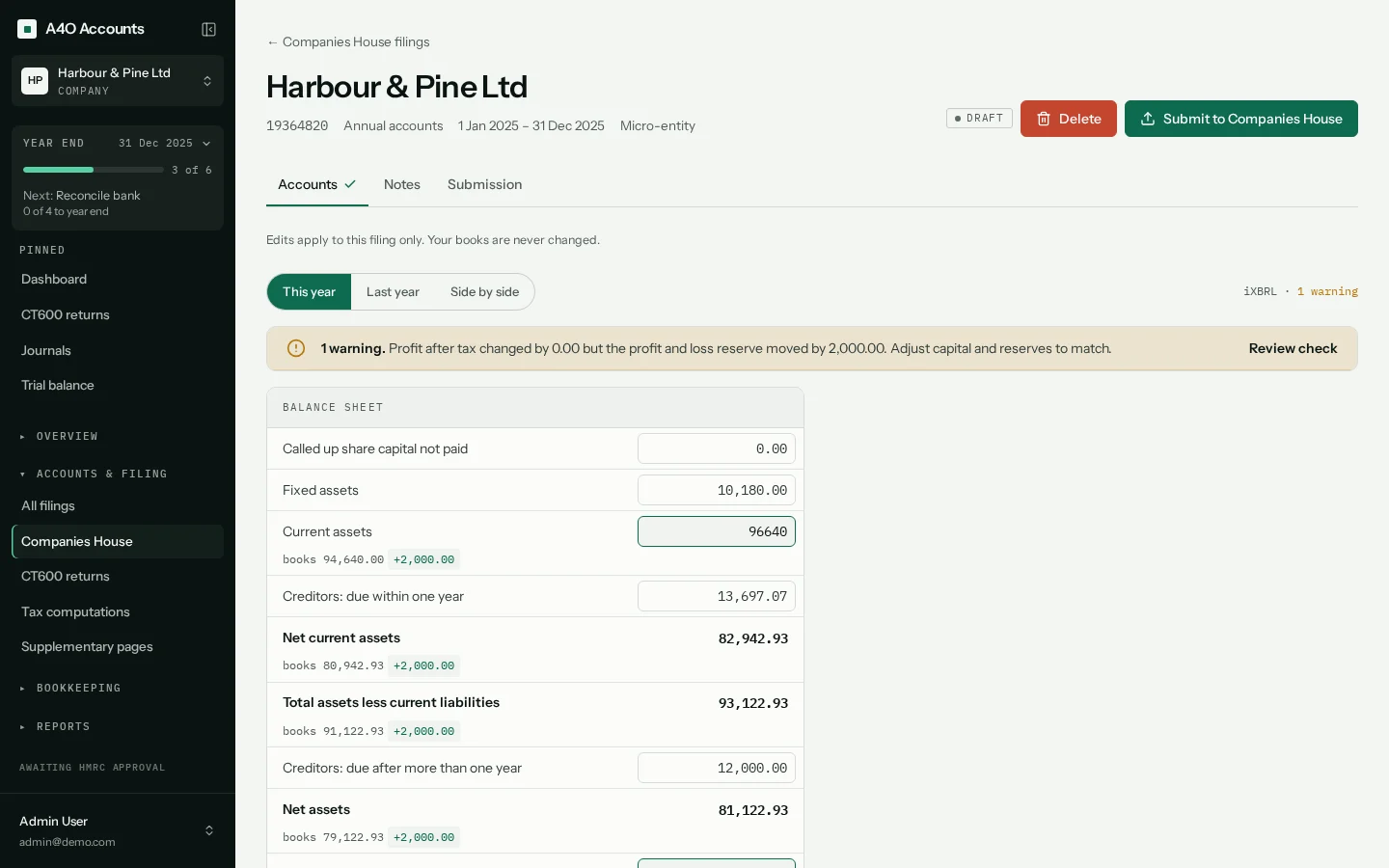
Check it, test it, file it
Before you can submit, A4O Accounts checks the return is ready and tells you what’s holding it up.
- Documents older than your latest change to the books must be rebuilt first
- The CT600 must match its computation
- A live filing needs the date the board approved the accounts
Then send a test submission, or file for real with your Government Gateway user ID and password. The return shows as pending, then accepted or rejected.
What the CT600 software does
A real tax computation
Add-backs, capital allowance pools with AIA and full expensing, losses carried forward and back, associated companies and marginal relief.
Every box of the CT600
The return is filled in from the computation and shown box by box, with the tax payable beside it. Change an adjustment and recalculate.
CT600A and CT600L
Add the supplementary page for loans to directors and shareholders (CT600A) or for research and development relief (CT600L) when the return needs it.
Accounts and computation in iXBRL
Both are tagged as they’re produced. Preview them, and the XML HMRC will receive, before you submit.
A test submission first
The submit dialog opens in test mode. Send the return to HMRC’s test service, see the result, then file it for real.
Amended returns
Once HMRC accepts a return, its computation is locked. Corrections go in as an amended return.
What it supports
UK limited companies
Returns for accounting periods of up to 12 months, for one company or for each of an accountant’s clients.
The whole Company Tax Return
The CT600, the accounts and the tax computation, sent to HMRC together.
Accounts for the return
Micro-entity (FRS 105), small company (FRS 102) or full accounts, built from the books.
Supplementary pages
CT600A (loans to participators) and CT600L (research and development).
What it doesn’t do
So you know before you start a return.
Other supplementary pages
Only CT600A and CT600L are available. If your return needs another supplementary page, A4O Accounts can’t file it yet.
Group and consolidated accounts
Group accounts with intra-group eliminations aren’t supported.
HMRC agent authorisation
There’s no agent sign-in. You enter the company’s Government Gateway user ID and password each time you file a live return.
Paying the tax
Filing the return doesn’t pay HMRC. You pay your Corporation Tax separately.
Why the figures don’t need typing in twice
A standalone tax product needs the figures from your accounts typed or imported in. A4O Accounts starts with your books.
| Step | A separate tax product | A4O Accounts |
|---|---|---|
| Accounts to tax | Key the profit and figures into tax software | The computation starts from the accounts profit |
| iXBRL | Tag the accounts and computation, sometimes in another tool | Tagged as they’re produced |
| A late change | Change it in each product and check they still agree | Change the books; out-of-date documents must be rebuilt before filing |
| Companies House | File the accounts from another product | File them from the same company, as a separate filing |
How we look after your data
Your HMRC password isn’t kept
When you file a Corporation Tax return, your Government Gateway password is used for that submission and never stored. The copy of each submission we keep has the credentials removed.
Sensitive details are encrypted
Companies House authentication codes and HMRC and bank access tokens are encrypted in our database with AES-256-GCM. Passwords are hashed with bcrypt, and repeated failed sign-ins lock the account.
Every filing is logged
Each submission, and each change to key records, is logged with who made it and when, and the app has no way to edit or delete those records. Only a Manager on the company can submit a filing.
What it costs
Create an account, add your company and file for real, with no card and nothing to pay. If we ever introduce paid plans, we’ll tell you at least 30 days before anything changes.
Questions about filing a CT600
Can I file a real CT600 with HMRC?
Yes. A4O Accounts is recognised by HMRC for Company Tax Returns, and filing is live. The CT600 goes to HMRC with your accounts and tax computation in iXBRL, and you can send a test submission first.
How much does it cost?
Nothing to get started, including filing, and you don’t need a card. If we ever introduce paid plans, we’ll tell you at least 30 days before anything changes.
What do I need to file?
Your company’s registration number and 10-digit Unique Taxpayer Reference (UTR), saved on the company, and your Government Gateway user ID and password when you file for real. They’re used for that submission and not stored.
Where do the figures come from?
From the books you keep in A4O Accounts. The return builds its accounts and tax computation from your posted bookkeeping for the period. To start, enter your opening balances as a journal and import your bank statements as CSV, Excel or OFX files.
Which supplementary pages are supported?
CT600A, for loans to directors and shareholders, and CT600L, for research and development relief. Other supplementary pages aren’t supported yet.
Can I correct a return after filing?
Yes. Once HMRC accepts a return its computation is locked, and corrections go in as an amended return. If HMRC rejects a return, reopen it as a draft, fix the problem and submit again.
Does it file my Companies House accounts too?
Yes, as a separate filing. Your accounts go to Companies House with the company’s authentication code, and the CT600 goes to HMRC. Both are prepared from the same books.
More on Company Tax Returns
Prepare your CT600.
Add your company, bring in the books and work through this year’s return.
No card required. Need a hand? Email us.