Corporation Tax software that starts from your accounts
Work out your company’s Corporation Tax from the profit in its accounts, fill in the CT600 from the computation, and file it with HMRC. The figures come from your books.
Free to get started, including filing. No card required.
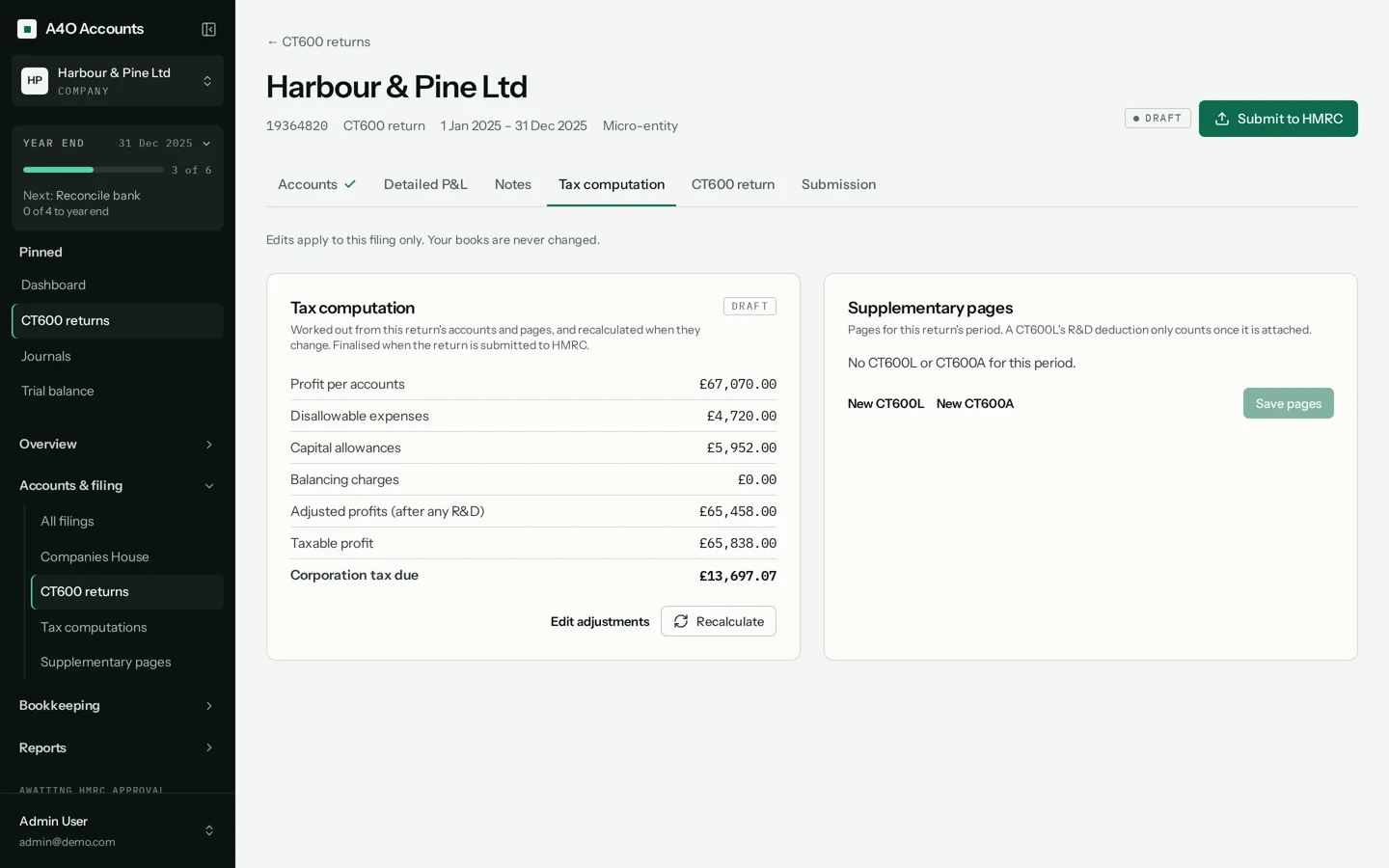
What the computation covers
Add-backs
Disallowable expenses are added back to the profit in the accounts. Edit the adjustments on the return and recalculate.
Capital allowances
Capital allowance pools, with the Annual Investment Allowance and full expensing.
Losses
Losses carried forward and carried back.
Marginal relief
Associated companies are taken into account, and marginal relief is worked out where it applies.
Loans to participators
The CT600A supplementary page, for loans to directors and shareholders.
Research and development
The CT600L supplementary page. Its deduction counts in the computation once the page is attached to the return.
How it works
Start from the year-end accounts
The return builds its accounts from your posted bookkeeping for the period, and the computation takes the profit from them. Nothing is typed across.
- Reconcile bank
- Year-end journals
- Trial balance
- Statutory accounts
- Tax computation
- CT600 return
The year-end checklist each company has in the app.
Work through the adjustments
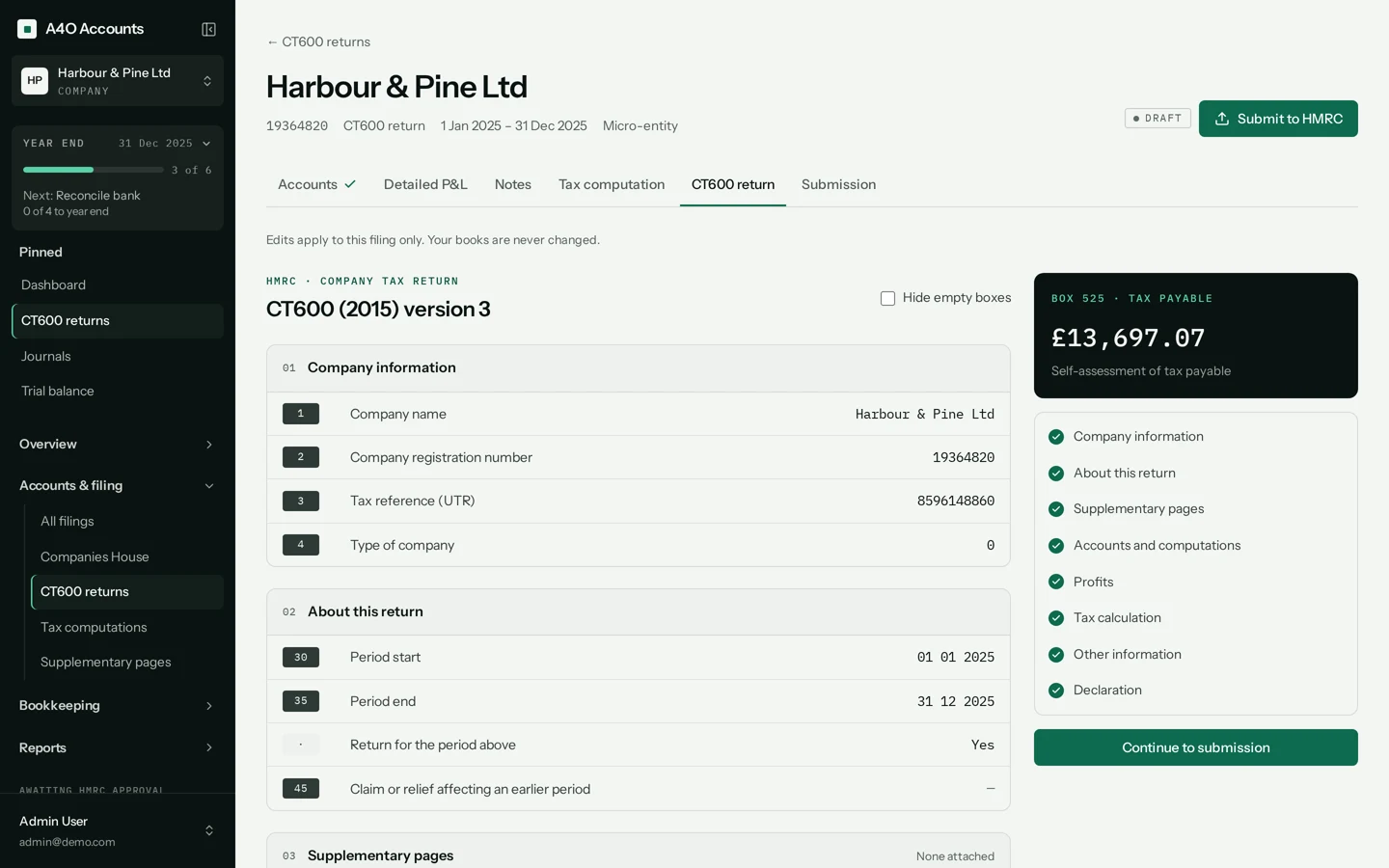
Check the add-backs, capital allowances and losses, change what needs changing, and recalculate. The CT600 is filled in from the result.
The CT600 must match its computation before the return can be submitted.
File, and keep track of what’s due
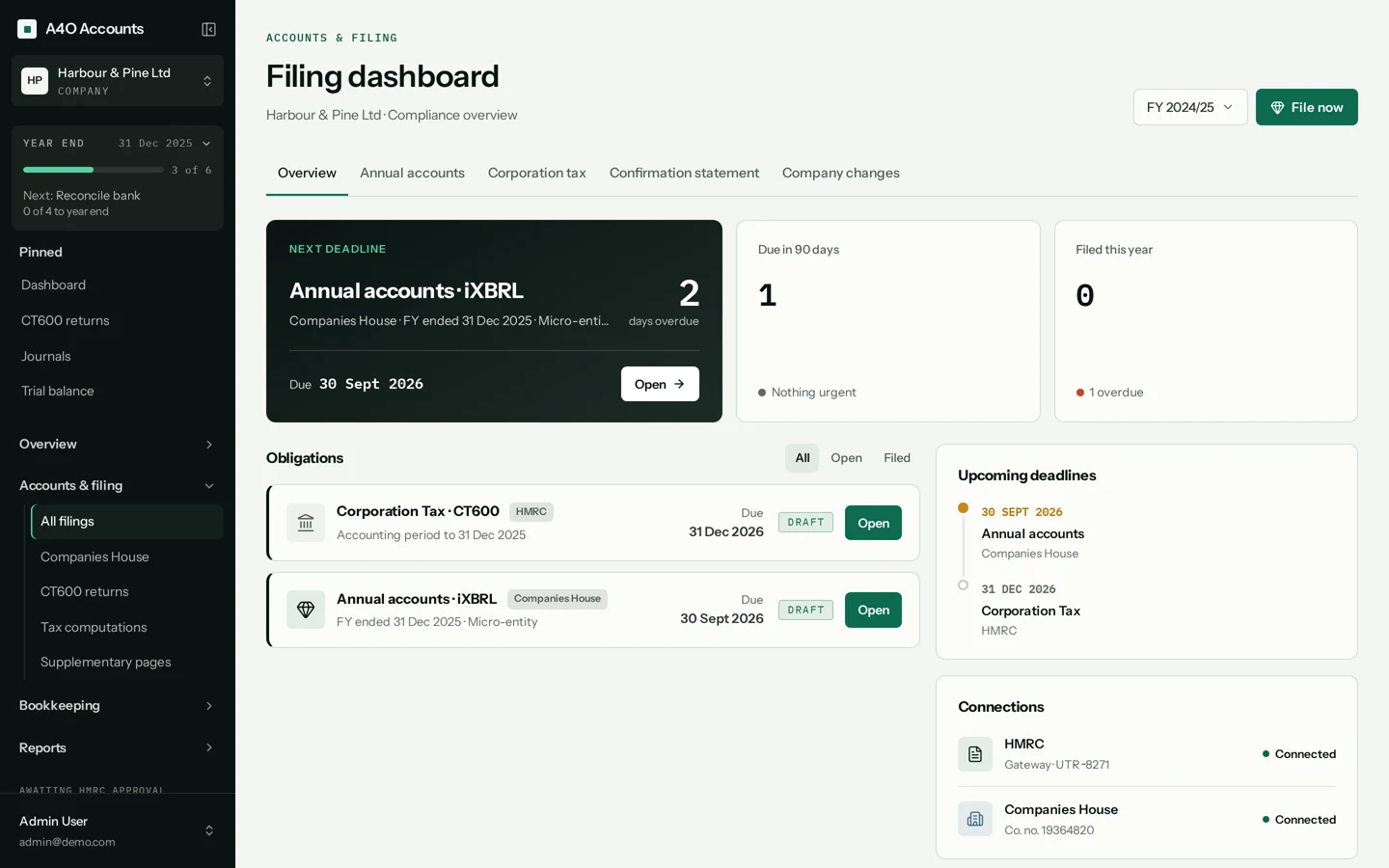
Send a test submission, then file with HMRC. Once HMRC accepts the return its computation is locked, and corrections go in as an amended return.
The filings page shows the next deadline and what’s due in the next 90 days.
See the computation in the app
Forty seconds on a demo company: the computation on the return, then where each adjustment is edited.
What it doesn’t do
So you know before you rely on it for a return.
Supplementary pages other than CT600A and CT600L
If your return needs another supplementary page, A4O Accounts can’t file it yet.
Group and consolidated accounts
Group accounts with intra-group eliminations aren’t supported.
HMRC agent authorisation
There’s no agent sign-in. You enter the company’s Government Gateway user ID and password each time you file a live return.
Paying the tax
The computation tells you what’s due. You pay HMRC separately.
Other taxes
Payroll (PAYE) is live. Making Tax Digital for VAT and Income Tax is built, and waiting for HMRC approval. It stays marked Coming soon until it’s switched on.
How we look after your data
Your HMRC password isn’t kept
When you file a Corporation Tax return, your Government Gateway password is used for that submission and never stored. The copy of each submission we keep has the credentials removed.
Sensitive details are encrypted
Companies House authentication codes and HMRC and bank access tokens are encrypted in our database with AES-256-GCM. Passwords are hashed with bcrypt, and repeated failed sign-ins lock the account.
Every filing is logged
Each submission, and each change to key records, is logged with who made it and when, and the app has no way to edit or delete those records. Only a Manager on the company can submit a filing.
What it costs
Create an account, add your company and file for real, with no card and nothing to pay. If we ever introduce paid plans, we’ll tell you at least 30 days before anything changes.
Questions about Corporation Tax
Does it calculate the Corporation Tax for me?
Yes. The computation starts from the profit in your accounts, adds back disallowable expenses, works through capital allowances and losses, and calculates the Corporation Tax due, with marginal relief where it applies. You can edit the adjustments and recalculate.
Can I file the return with HMRC from it?
Yes. The CT600 is filled in from the computation and filed with HMRC, with the accounts and computation in iXBRL. You can send a test submission first.
How much does it cost?
Nothing to get started, including filing, and you don’t need a card. If we ever introduce paid plans, we’ll tell you at least 30 days before anything changes.
Does it handle associated companies and marginal relief?
Yes. Associated companies are taken into account and marginal relief is worked out in the computation.
Can accountants use it for several clients?
Yes. Add each client company under one login and switch between them. Each company keeps its own books, computations and filings.
Does filing the return pay my Corporation Tax?
No. Filing and paying are separate. Corporation Tax is usually due 9 months and 1 day after the end of the accounting period, and the return is due 12 months after it.
Related
Work out this year’s Corporation Tax.
Add your company, bring in the books and see the computation for the period.
No card required. Need a hand? Email us.